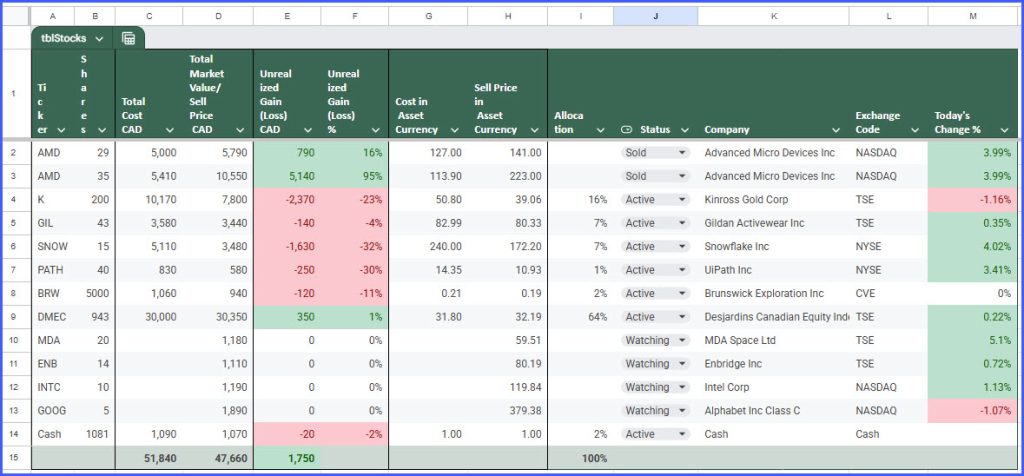
Personal Portfolio tracker. Nothing advanced. Not for day trading or anything crazy. Just to see the positions, how much money I made or lost. The current stock price is pulled from the stock exchange with native Excel stocks formulas.
My brokerage does not display positions that are sold. So even with infrequent trades – it is impossible to see if I am winning or losing YTD. This is the purpose of this simple tracker. Plus it gives me a watchlist of what I am looking to buy.
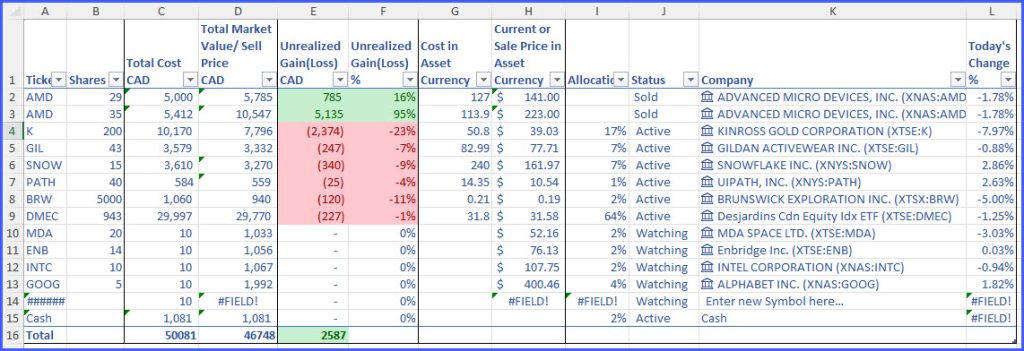
What I’ve learned… Excel supports 2 native methods of displaying current stock prices:
- Stocks Data Types
- =STOCKHISTORY() Excel Formula
Stocks Data Types only work in Excel for Desktop. Excel Mobile app or Excel on the web do not support Data Types. Effectively you can open this file on mobile phone. But the prices won’t refresh automatically. You have to open this file on desktop.
STOCKHISTORY does not give you today’s prices. It is always one day behind.
For this reason I’ve built Google Sheets template. Though personally I find Google Sheets a little clunky. Especially on Mobile. Excel mobile app is slick. It uses small screen real estate very efficiently. But Excel mobile app simply does not work with stocks. Anyway you can try both templates and see which one suits you. Once you save your copy of Google Sheet to Google Drive tap Share -> Add to Home Screen. And you can open it from your phone screen just like Excel mobile app.